Quantcast
Channel: StackStorm
Viewing all 302 articles
Browse latest View live

DevOps Enterprise Summit 2017 –San Francisco

$
0
0

StackStorm Community Thought Leaders:
Demonstrating Transformational Leadership with Event Driven Automation

By Dana Christensen
The 3-day DevOps Enterprise Summit (DOES17) hosted by IT Revolution and Gene Kim is sold out and in full swing in San Francisco!

DevOps Enterprise Summit is a conference for the leaders of large, complex organizations implementing DevOps principles and practices. The event agenda is designed to give leaders the tools and practices they need to transform their organizations, develop and deploy software faster, and to win in the marketplace.

As a DOES17 sponsor, StackStorm is helping to play an important role in bringing technologists across all industries together to share, learn, and grow in using DevOps to improve their organization’s effectiveness, productivity, and competitive edge. StackStorm is proud to join a community of technology leaders who are helping each other successfully adopt and accelerate DevOps in their own organizations.

The Importance of Transformational Leadership to Your DevOps Journey

During his day 1 keynote presentation titled “Transformational Leadership & DevOps-Beyond the Research”, Dr Steve Mayner of Scaled Agile Inc., shared findings on the key attributes of transformational leaders—those leaders that are able to bring about meaningful, lasting change across their organizations.

Introducing StackStorm Community Thought Leaders

One of the greatest challenges to DevOps adoption is organization cultural change. StackStorm Community Thought Leaders have leveraged event thinking and event driven automaton to not only transform the technology being used within their organizations, but to also transform processes/workflows, and bring about the necessary cultural change across their organizations.

Transformational leadership can come from anywhere within an organization. No matter what level their position within their IT organization, StackStorm Thought Leaders possess the attributes that Steve spoke of during his presentation.

Creativity: A common theme among StackStorm Thought Leaders is the willingness to challenge the status quo, introducing event thinking into their environments. They encourage their teams to learn, and to be creative and explore new ways of doing things leveraging the StackStorm automation platform. These leaders also influence across their organizations, encouraging cross-functional teams to use their imaginations, and unlock the potential of event driven automation to deliver on company & team objectives.

Vision: They are able to clearly articulate alignment with the company’s top level vision & mission, and how leveraging StackStorm event driven automation is helping their team meet the strategic objectives and key metrics necessary to deliver exceptional customer digital experiences.

Authenticity: They demonstrate a commitment to continuous learning, bringing new ways of thinking into their organizations, and leveraging new technologies such as StackStorm event driven automation and ChatOps Bots to create environments of trust and transparency.

Growth: Whether it is transforming the way education is delivered worldwide (Pearson), delivering exception digital experiences to customers & subscribers, (Target, Netflix, NL-ix, DMM.com), or enabling advancements in Genomic research (SciLifeLabs), StackStorm Thought Leaders demonstrate empathetic, servant leadership by being committed to meeting and exceeding the needs of their customers and a genuine commitment to the growth of their teams. Learning new skills such has StackStorm has contributed to job satisfaction for many of these teams. Through the elimination of low level, repetitive, mundane tasks, teams are able to focus on challenging, meaningful work. (ALEX—can you add the links to the profile pages when they are ready)

We hope you’ll be inspired by their stories. If you’re not familiar with StackStorm, we encourage you to join the conversation & the community today. The team and extended community will be happy to help you explore how StackStorm event driven automation can advance your DevOps journey, transform your business, your processes/workflows, and your organization.

The post DevOps Enterprise Summit 2017 –San Francisco appeared first on StackStorm.


November Pack Roundup

$
0
0

December 1, 2017
by Lindsay Hill

Second to last month of the year, and updates to the StackStorm Exchange keep coming. New Terraform pack, major updates to Consul pack, and a bunch more updates. Read on for the details.

New Packs This Month

  • Terraform – are you codifying your infrastructure with Terraform? Check out the new actions for working with Terraform from StackStorm.
  • Consul OK, this is technically not a new pack, but it’s such a big overhaul of the old Consul pack that it might as well be. 9 new actions in this update. Note: If you are using this pack, pay close attention to the changes. Names have changed to make them consistent with the Consul APIs, and that might break your workflows.

Pack Updates

  • Zabbix adds more actions, including the ability to change a node status, and change maintenance windows.
  • Network Essentials now lets you send arbitrary configuration commands to Extreme VDX and SLX switches.
  • Device42: New actions and rules for handling device lifecycles. Check out this Device42 blog on working with Device42 and StackStorm.
  • Jira: New actions for attaching a file to an issue. Because who doesn’t want more Jira issues?
  • Napalm now lets you send some configuration commands, rather than having to specify a file.
  • Excel has been updated to support float and int keys and values.

Thanks to all the contributors for their work. It means a lot to us.

The post November Pack Roundup appeared first on StackStorm.

StackStorm is Hiring!

$
0
0

December, 2017
by StackStorm Team

As you may know, StackStorm recently has found a new place at Extreme Networks. With that, we’re happy to remind you that we’re hiring Engineers to help making StackStorm even better.

Senior Software Engineer

StackStorm Senior Software Engineer Stack

As a core member of our engineering team, you will take part in architectural design, creating and sustaining features for the platform and services, integrating with other platforms and supporting a lively and growing community. It’s a rare opportunity to understand the future work, – please look at the main repository github.com/stackstorm/st2 with ~13K commits and ~150K lines of code.

An ideal candidate has 5-10 years of software engineering experience building distributed systems. If you have shown leadership in designing and architecting software systems and have a proven track record in executing and delivering value to customers, we are looking for you to join and help us in our vision towards automated remediation.

Requirements:

  • Experience with building secure, distributed and scalable systems
  • Experience with Python and/or other programming languages
  • Experience with designing REST APIs, working with SQL/NoSQL databases and messaging queues (other emerging technologies is highly desired)
  • Experience with continuous integration and continuous deployment is a huge plus

Apart from the above technical skills, following soft skills are desired:

  • Ability to work in a diverse and distributed team is highly desired
  • A self-starter that is passionate and motivated by new technologies and has empathy for legacy systems
  • A quick learner that can navigate through unfamiliar programming languages, systems and processes
  • Prior product building experience is optional but desired

See the Roadmap docs.stackstorm.com/roadmap.html to get ideas about the engineering problems you’ll be solving at StackStorm.

Looks challenging?
Send us a message to moc.mrotskcatsnull@ofni

Senior DevOps Engineer

StackStorm Senior DevOps Engineer Stack

Love using products like Ansible, Terraform, Vagrant or Chef? Now you build them!

You’ll be working in a modern environment with the world class team. We’re following GitHub flow, Code Reviews, communicating in Slack/Hangouts being distributed around the globe, we honor ChatOps, live Automation and Infrastructure as a Code.

This is a hybrid position, where you may find yourself doing pretty much everything: writing infrastructure tests, fixing automation workflows, improving CI/CD, releasing new version of StackStorm, reviewing others contributions, helping core developers to be more successful, learning new DevOps tool and writing integration for it, catching performance regressions or contributing to StackStorm/st2 core repo, helping community and advocating Self-Healing systems.

Requirements:

  • Strong experience in Systems Administration and Network
  • Python, bash is required as main scripting languages
  • Golang and Ruby knowledge is welcomed, – you might find several repos internally
  • Troubleshooting skills sometimes going extreme to telepathy while supporting our Community/Installations
  • Deep understanding of RHEL/CentOS and Debian/Ubuntu internals, deb/rpm packaging
  • Good AWS experience as main cloud platform and familiarity with other platforms GCE, OpenStack, Azure
  • Configuration management. Ansible, – main tool used internally, Chef and Puppet installation repositories supported by community
  • CI/CD: Travis, CircleCI, we’re using StackStorm itself for more complex workflows and deployments
  • Release management, – testing and publishing new StackStorm versions to open-source community
  • Containerization like Docker, familiarity with Swarm and Kubernetes orchestration engines
  • Polyglot experience with other DevOps tools, – we integrate with more tools every day and should know when and how to use them depending on situation
  • Curiosity, fast-learning, pursuit to improvements, great communication
  • Keeping finger on pulse of latest DevOps trends and commitment to Open Source
  • Leadership by promoting StackStorm, experimenting with different approaches and writing Blog posts about event-driven automation, ChatOps, participating in Conferences and whatnot.

StackStorm org in GitHub: github.com/stackstorm
Tools used internally: stackshare.io/stackstorm/stackstorm

You’ll work on building OpenSource product which influence entire DevOps community and help solving problems for some top companies! We invite you to join StackStorm, change the world, write great code, speed the shift to DevOps automation and have a blast while doing it.

Sounds like a dream job?
Send us a message to moc.mrotskcatsnull@ofni


Check out StackStorm Careers for more info.

The post StackStorm is Hiring! appeared first on StackStorm.

StackStorm Exchange goes Serverless

$
0
0

Run StackStorm Exchange actions as AWS Lambda functions. No code. Serverless and Stormless. 100% Open Source.

December 14, 2017
by Dmitri Zimine

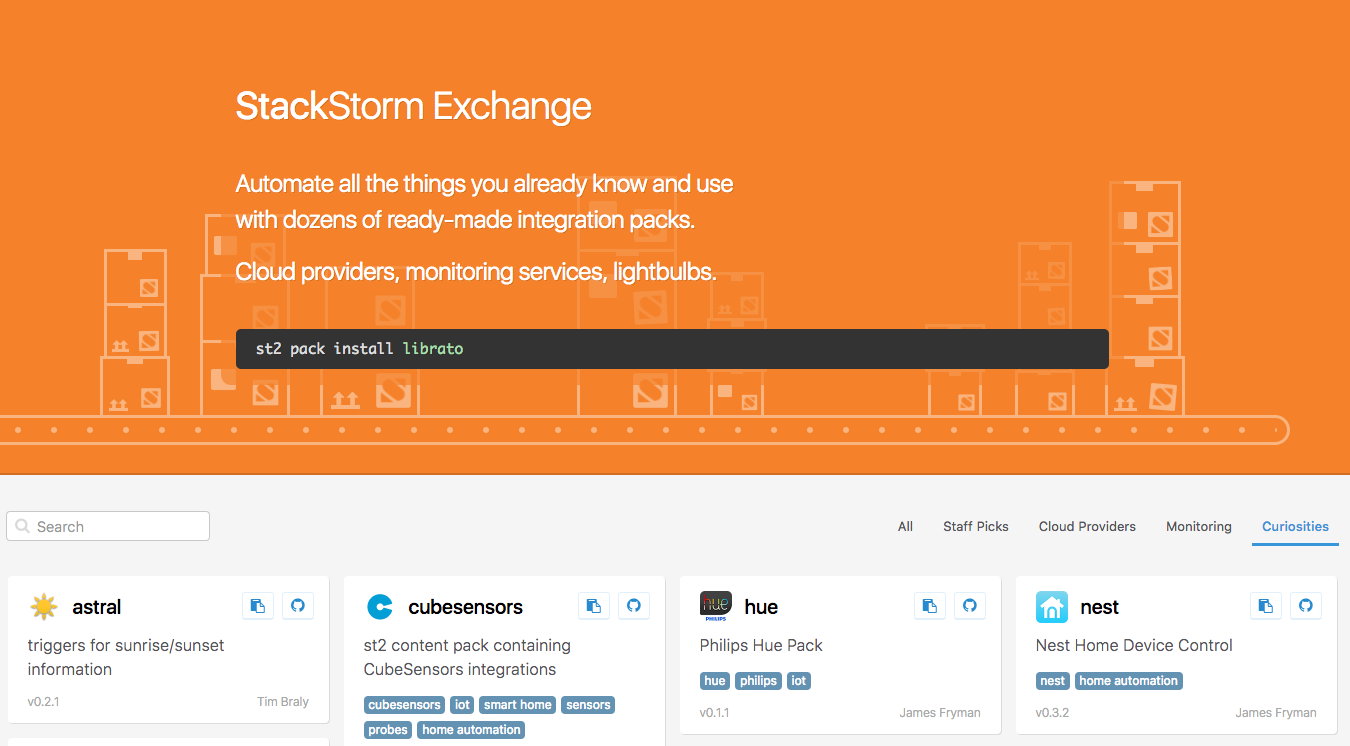
StackStorm Exchange is an open source catalog of reusable actions. Integrations with everything ranging from common-man DevOps tools, suit and tie services like ServiceNow and Remedy to cool kids like Slack or Twilio, to more exotic systems like HUE Lights and Tesla cars. At the time of writing, there are 6500+ actions spread across 130 integration packs. It is Open Source, with a great community of maintainers. Something that makes StackStorm a great wiring tool to build automations integrating a wide breadth of domains.

But if you’ve taken a red pill and gone wholesale on AWS running serverless, deploying StackStorm may be not an option. Yet the catalog of reusable functions to integrate with commonly used services is an appealing idea. C’mon there should be 1000 Slack lambdas and 10,000 Twilio lambdas out there already, it doesn’t feel creative to write 10,001? Jealous to Azure with their great library of reusable connectors? Why can’t YOU grab something ready-to-use?

Now you can! Run StackStorm Exchange actions as lambda functions. Without StackStorm. Serverless and Stormless.

You’ll need AWS account and Serverless Framework – the most popular serverless framework (errr… I struggle with this sentence but yes, they called it “Serverless Framework”, so watch Caps to tell apart a buzzword from the framework). If you’ve gone serverless (buzzword) you’re likely using Serverless (framework) already. If you haven’t picked one yet, Serverless is a safe choice.

The framework is a CLI toolkit for deploying and operating serverless architectures, with a pitch line – drums… – “Focus on your application, not your infrastructure”. You write your functions as JavaScript, Python, Java, or Go, and point to them in a serverless.yml file. The framework does all the infrastructure work to forklift your functions to the cloud, and offers convenient CLI tools that make serverless development workflow fast and enjoyable.

With our new serverless-plugin-stackstorm, you can just point to an action from any integration pack available on StackStorm Exchange. Like this:

# serverless.yml
...
functions:
# With classic Serverless Python function,
# point handler to an entrypoint in your python code:
hello_world:
handler: handler.hello

# With serverless-plugin-stackstorm,
# point to an action in a pack from StackStorm Exchange:
get_github_issue:
stackstorm:
action: github.get_issue # <pack.action> ...

Under the hood, the plugin pulls the integration pack from StackStorm Exchange, builds a python bundle, deploys it on AWS and turn the action to Lambda, mapping the input and output as desired. Don’t be scared when you see a Docker container spinning up: we use it for a build environment to make sure the lambdas will be binary compatible no matter what OS you’re using in development.

For detailed instructions see the plugin’s README.md. For some technical highlights, read on.
Or jump straight to playing with it – and if you like the idea, please give it a star! Star


Q: Do I need to run StackStorm to use it?

No. It’s Stormless. We reuse StackStorm action-runner runtime to execute actions on AWS Lambda, but it’s already part of the plugin and you don’t have to care. If you are curious about StackStorm – grab the StackStorm Docker container and play with it. It will help if you want to build packs and contribute to StackStorm Exchange, but it’s not required.

Q: Can I still write a function myself?

Yes, you can and you sure will. The business logic goes to your code, and repeatable plumbing comes from reusable integration packs. On this token: once you write something that might be reusable by community, post it up to Exchange for good Open Source karma. We also send nice stickers, mugs and T-shirts!

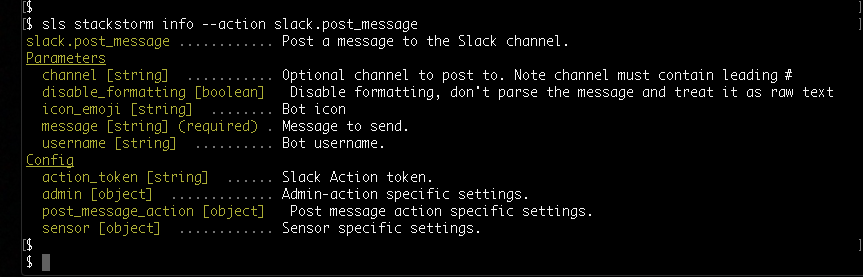
Q: How do I know what the action parameters are?

Use the info –action. Like this:

sls stackstorm info --action slack.post_message

Q: But what if my event payload doesn’t match action parameters?

We offer transformation with Jinja syntax to transform the payload to action input: look at the example below. Notice that you can also do this to transform the action output to your desirable shape.

# serverless.yml
...
functions:
get_issue:
events:
- http:
method: GET
path: issues/{user}/{repo}/{issue_id}
# Sample event payload:
# { "pathParameters":
# {"user": "StackStorm", "repo": "st2", "issue_id": "3785"}
# }
stackstorm:
action: github.get_issue
input:
user: "{{ input.pathParameters.user }}"
repo: "{{ input.pathParameters.repo }}"
issue_id: "{{ input.pathParameters.issue_id }}"
output:
statusCode: "{{ 200 if output.exit_code == 0 else 500 }}"
body: "{{ output.body }}"
state: "{{ output.state }}"
full_output: "{{ output }}"

Q: Can I debug and run StackStorm exchange functions locally?

Yes you can:

sls stackstorm docker run --function get_issue \
--verbose \
--passthrough \
-d '{"pathParameters": {"user": "StackStorm", "repo": "st2", "issue_id": "3785"}}'

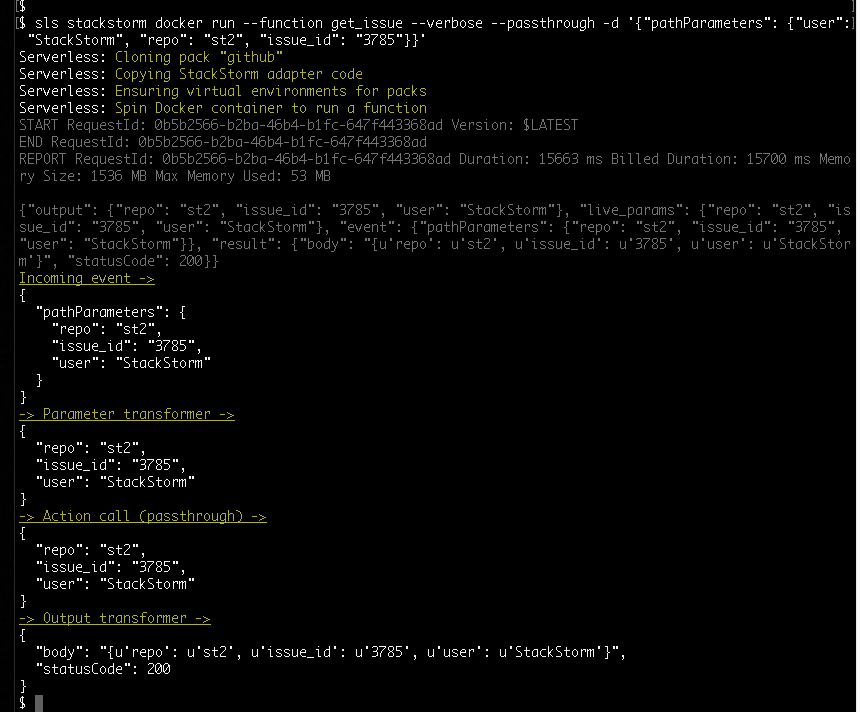
Note the --passthrough option that let you omit action body invocation – this comes in handy when testing or debugging the parameter transformation.

And --verbose will output the details on the input and output transformations:

One nugget here: you’ll notice syntax that is different from classic serverless invoke local. We run locally in a Docker container for better compatibility with actual AWS Lambda execution environment.

Q: Is this the only nugget? What else should I be aware of?

The plugin is hot off the press: we are still improving UX, refining syntax and CLI, speeding up builds and local experience. But once the function is deployed, it’s just your standard AWS Lambda, and as rock-solid as any Lambda. And if you see something – say something: file bugs, share irritations, propose improvements. PRs are the most welcome!


We are also happy to share that we are bringing Serverless community developers to StackStorm Exchange as reviewers and co-owners. Both communities – StackStorm and Serverless – will greatly benefit from a growing catalog of reusable functions for your projects, 100% Open Source.

Let’s rock! Ping us on StackStorm Slack (signup here) or Serverless Gitter, or on Twitter @Stack_Storm & @goserverless with your feedback.


The post StackStorm Exchange goes Serverless appeared first on StackStorm.

Early Christmas: StackStorm Patch Release 2.5.1

$
0
0

Here’s an early Christmas present for everyone: StackStorm 2.5.1 is out. Small enhancements and bugfixes, and some enhancements to Workflow Designer. Time to sneak it in before the change freeze? Or something to do on your dev system over the quiet period? Read on for details.

New & Changed Things

  • Python action logging – lots of changes here: We’ve added a log_level runner parameter. This controls which level of log messages are output to stderr. It defaults to DEBUG, but can be over-ridden at the runner or action level. This can help suppress noisy actions. Datastore-related logs now use DEBUG, not AUDIT, and to use the correct action class name. Finally we’ve fixed an issue with duplicate log messages.
  • New search rule criteria comparison operator. Check the documentation to see how to use it.
  • st2 execution {run,get} now colorizes the value of the status attribute. Your terminal will be that little bit prettier.
  • The CLI no longer automatically converts list items in action parameters to dicts when colons (:) are detected. You can explicitly enable this functionality with the new --auto-dict flag, but note that this is a temporary measure, and this flag will be deprecated in a future release in lieu of more permanent handling of complex datatypes in action params.

Fixed Things

  • st2 execution tail [last] no longer throws an exception if there are no executions in the database.
  • The datastore service in Python actions now scopes the auth token to the triggering user.
  • Fixed edge case for workflows stuck in running state. In certain situations, Mistral could receive a connection error from the ST2 API. This resulted in a duplicate execution stuck in requested state. That then leads to st2resultstracker assuming the workflow is still running.
  • Fixed a regression and a bug where no API validation was being performed and the API returned a 500 status code. This occurred when a request payload was not included for POST and PUT API endpoints where body is mandatory.

Workflow Composer Enhancements

We’ve made a few small usability enhancements to Workflow Designer in this release:

  • When creating or editing a workflow, you can now configure position parameters. This lets you change the Web UI parameter display ordering.
  • Workflow Designer will now prompt you to set a workflow pack and name on first save. This is much nicer than the unhelpful error message we used to give you.
  • We fixed a bug where the action icon did not display for the first action added to the canvas.

Full details of all fixes and changes are in the changelog.

As ever, thanks to all those who contributed in some way, via code, bug reports, and feature requests.

Backup First!

Packages are now available in apt and yum repos. Backup first, then follow the General Upgrade procedure to upgrade.

Having a problem? Get in touch via Slack or GitHub.

The post Early Christmas: StackStorm Patch Release 2.5.1 appeared first on StackStorm.
Puppet Module to Install StackStorm – Announcing Release Candidate

$
0
0

January 4, 2018
By Nick Maludy of Encore Technologies

So far StackStorm has multiple installation methods: deb/rpm packages, curl|bash installer used for simple deployments, Docker, Ansible, Chef.

Now it’s Puppet time!

Starting in July of 2017 a major effort has been underway to modernize the Puppet module to install/deploy StackStorm. In August of 2017 v1.0.0-beta was released with completely re-worked internals to support the new StackStorm deb/rpm package installation method and fix a large number of bugs. Since the beta we’ve continued development of new features like supporting all 4 StackStorm OSes, Puppet 4 and 5 compatibility, ChatOps installation and configuration, modernized pack management, full integration testing in Docker containers along with a slew of Puppet best practices improvements.

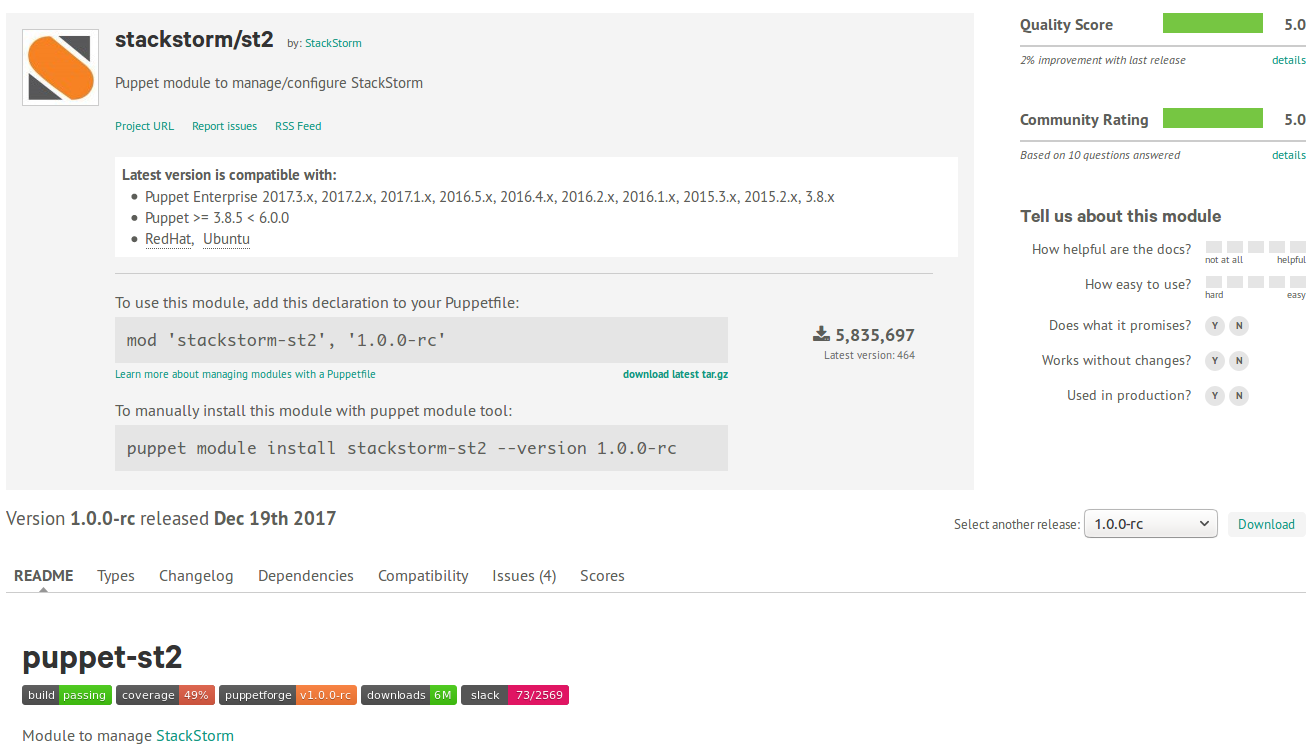
Today we’re proud to announce the Release Candidate version v1.0.0-rc of the stackstorm-st2 Puppet module which is available on Forge.


https://forge.puppet.com/stackstorm/st2

Our plan is to release v1.0.0 stable in the coming weeks, but in order to do this we need your help. We ask everyone who is interested in Puppet-based deployment to give the module a try and provide your feedback!

Keep reading to find out more details about what’s changed and where the project is heading.

Modernization Improvements

  • Support latest versions of StackStorm. Prior to 1.0.0-beta the module was designed around the legacy deployment system. This has been upgraded to the modern package deployment methodology. These changes were ported over.
  • Support all StackStorm OSes (Ubuntu 14.04, Ubuntu 16.06, CentOS/RHEL 6, CentOS/RHEL 7). Previously the module was not running properly on several of the distributions. A great deal of work has gone into making the module cross-platform compatible.

  • Puppet linting and best practices. Upgraded the style of a majority of the code to validate against modern puppet-lint tests.

  • Integration testing. New in 1.0.0-rc, we’ve gone and completely rewritten the build system to run in an several isolated Docker environments. This means that every time a build is triggered, stackstorm/st2 is used to install StackStorm on every supported OS version.

  • Support for Puppet 4.x and Puppet 5.x. New in 1.0.0-rc. Tied into the integration testing effort, we’ve also introduced tests for running the module with modern versions of Puppet.

What Else Has Changed

Some highlights of changes since v1.0.0-beta:

  • Migrated to voxpupuli puppet/rabbitmq module and puppet/mongodb modules.
  • Upgraded NodeJS to 6.x when installing StackStorm >= 2.4.0.

  • Upgraded MongoDB to 3.4 when installing StackStorm >= 2.4.0.

  • New type and provider for managing st2 packs: st2_pack.

  • Added new parameter index_url to ::st2 allowing custom st2 Exchange

  • Added a new class st2::profie::chatops to manage the chatops package, service and configuration.

  • Added new parameters mongodb_manage_repo and nginx_manage_repo to ::st2 so that the repository can be managed by an external system and not the stackstorm-st2 module.

  • Added Slack notifications to https://stackstorm-community.slack.com #puppet for Travis build failures.

Future Ideas

That’s where we’ve been, here’s some ideas of where we’re going:

  • Support for all auth backends (MongoDB, PAM, LDAP, etc).
  • Improve unit testing coverage.

  • Integration testing verification using InSpec or Serverspec.

  • Splitting ::st2::profile::server into component services.

  • High Availability support.

How Can You Get Started?

We’ve focused on making getting started with the stackstorm-st2 module as simple as possible. Just include the full install class in your manifest for a node and you’re on your way!

include ::st2::profile::fullinstall

This will install StackStorm and all it dependencies!

If you’re using r10k or librarian-puppet to manage your module dependencies, you can reference our Puppetfile for your distribution:

For more info, checkout the README.

Participation

The stackstorm-st2 module welcomes any and all contributions (including bug reports)!

If you’re curious how you can help, check out our issues list, or drop by the #puppet channel questions in our public Slack workspace. We’re always looking for new and exciting ideas for how we can make StackStorm and its supporting projects like the stackstorm/st2 Puppet module better, so don’t be shy!

Thanks

A very big thank you goes out to all those who’ve contributed code to this release!

P.S.
From the StackStorm side, we want to thank our partners from Encore Technologies, particularly Nick Maludy for taking the lead with the Puppet Module github.com/StackStorm/puppet-st2. As an advanced user, you know best what’s needed from StackStorm deployment & configuration and contribute to that.
That’s the power of Open Source!

The post Puppet Module to Install StackStorm – Announcing Release Candidate appeared first on StackStorm.
New Year, New StackStorm – v2.6 Released

$
0
0

January 25, 2018

It’s a New Year, and time for a new version of StackStorm. 2.6 is available for download now. The biggest change is moving the Web UI to the React, but of course there’s also multiple user- and developer-friendly fixes and enhancements in the backend. Read on to hear more about what’s changed:

Web UI Overhaul

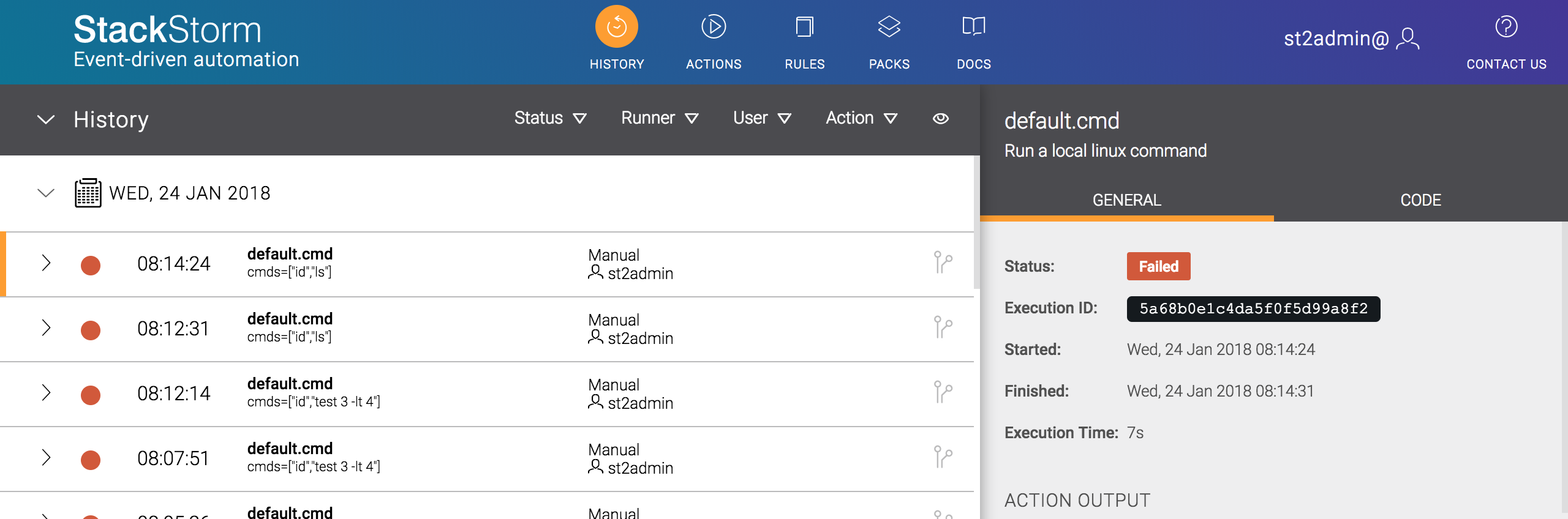
Our Web UI was originally written using Angular. That served us well, but we had a number of issues, and we wanted to move to newer, more flexible framework. Thanks to a lot of work from a few clever developers, we’ve switched this to React. At first glance, you might think it looks pretty similar to before:

But as you start poking around you’ll notice a few changes. We’ve closed a number of long-standing issues. Small things that make a difference – e.g. remembering the state of the “Wrap newlines” button, more filters for the History tab, and key-bindings to make life easier.

This also sets us up for further enhancements, such as better support for colorblind users. We’re also planning a bigger overhaul of the UX, and now we’re in a position to do that.

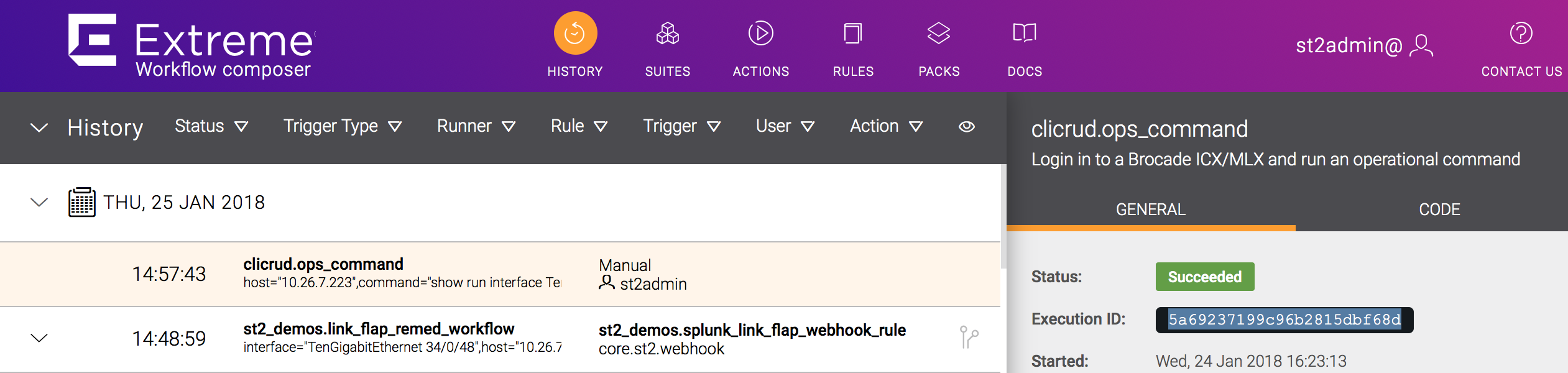
Workflow Composer users will also see that we’ve started switching colors and logos:

This is not yet complete. You’ll still see a few Brocade references around the place. We’re planning to complete this migration in the next release.

On to the other changes!

Developer-Focused Improvements

Here’s some of the improvements and fixes that developers will appreciate:

  • Packs can now have a lib directory to share code between actions and sensors. See the docs to understand how to use this.
  • The default log level of all Python runner actions can now be set in st2.conf.
  • The st2client package can now also work with Python 3. NOTE: This is just the start of longer-term Python 3 work. Python 2.7 is still the only officially supported and tested version. There may be rough edges if you’re using Python 3. Please file issues if you see anything misbehaving.
  • Python runner action performance regressions have been fully fixed (this was partially fixed in 2.5.1).

User-Focused Improvements

And here’s more user-facing changes:

  • st2 {run|action execute|execution re-run} commands now support the --tail flag. This will automatically follow the requested action output.
  • core.local and core.remote now support password-protected sudo using the sudo_password runner parameter.
  • You can now request the complete result set from commands like st2 execution list using the --last -1 flag.
  • Some pesky \n characters were showing up in some execution outputs. This has been been cleaned up.

Other Changes

Other changes of note:

  • If you have custom Python actions that use from st2actions.runners.pythonrunner import Action, this should be updated to use from st2common.runners.base_action import Action. The legacy style is deprecated, and will be removed in 2.7.0. All packs on the Exchange have been updated to use the newer style. Make sure you update our packs, including the core st2 pack. Run st2 pack install st2 to pull down the latest version.
  • Inquiry responses marked as “secret” are now properly masked.
  • Real-time action output streaming is enabled by default.

As always, full details in the changelog.

Thank you to everyone that contributed in some way towards this release.

Packages are now available in apt and yum repos. Make sure you backup first, and follow the General Upgrade Procedure to upgrade. We also recommend checking your packs for updates.

As always, if you run into any problems, get in touch via Slack or GitHub.

The post New Year, New StackStorm – v2.6 Released appeared first on StackStorm.
Double Packs Update

$
0
0

February 2, 2018
by Lindsay Hill

No packs update over Christmas because we were taking a break – so here’s a double helping of updates to packs on the StackStorm Exchange. We have new packs for Palo Alto Networks, CloudShark, updates to the OpenStack, NetBox, Device42 packs, and a bunch of bugfixes, including Consul, ServiceNow, Cisco Spark and more. Here’s the details:

New Packs This Month

  • Palo Alto: Palo Alto Networks firewalls have become very popular, with good reason. Now you can use ST2 to block threats on PAN in response to events.
  • CloudShark: CloudShark is like Wireshark in your browser. This pack uploads a PCAP file to CloudShark, and returns the URL to view that in your browser.

    So you can run something like this:

    extreme@EWC:~$ st2 run cloudshark.upload file_path=/home/stanley/pcaps/st2_leaf1_fbd3aca6-4ac5-4638-869f-5e2dd4779cc9.pcap
    ..
    id: 5a692f9d99c96b2815dbf6b7
    status: succeeded (2s elapsed)
    parameters:
      file_path: /home/stanley/pcaps/st2_leaf1_fbd3aca6-4ac5-4638-869f-5e2dd4779cc9.pcap
    result:
      exit_code: 0
      result:
        filename: st2_leaf1_fbd3aca6-4ac5-4638-869f-5e2dd4779cc9.pcap
        link: https://www.cloudshark.org/captures/ae5b12006b47
        status_code: 200
        text: '{"id":"ae5b12006b47","filename":"st2_leaf1_fbd3aca6-4ac5-4638-869f-5e2dd4779cc9.pcap"}'
      stderr: ''
      stdout: ''
    extreme@EWC:~$
    

    Follow the the link to see the PCAP:

    Nifty eh?

Pack Updates

  • NetBox now supports virtualization endpoints, such as clusters, virtual machines, etc.
  • Device42: More actions to help with device provisioning and network lifecycle automation. Be sure to read some of their great blogs that show this in action.
  • OpenStack: Some network-related actions are not available via the Python OpenStack Client. Now you can use these via Neutron. Check the README to learn more.

Pack Updates

We also have minor fixes & updates to the Jira, AWS, Cisco Spark, Salt, ServiceNow, Consul, Napalm and Ghost2logger packs. If you’re using any of those packs, you will probably want to update them, with st2 pack install <pack>.

As always, thanks to everyone who helped in some way.

The post Double Packs Update appeared first on StackStorm.


February Update

$
0
0

March 2, 2018
by Lindsay Hill

A short month, so not so many updates to StackStorm Exchange this month. But there’s still a few things going on with Kubernetes, OpenStack, Fortinet, ServiceNow and Microsoft Exchange. Plus some CircleCI news. Here’s the details:

New and Updated Packs This Month

  • Kubernetes:Lots of changes here. No longer dynamically generating actions from Swagger, instead using requests() to connect to the API directly. Also includes support for client certificate-based authentication, .
  • Fortinet: Fortinet make a great range of firewalls, and now you can add Fortinet into your auto-remediation workflows.
  • Microsoft Exchange: We fixed a few small bugs that affected users who do not use autodiscovery.
  • OpenStack: Neutron and Aodhclient actions are now included, thanks to Hanxi Liu.
  • ServiceNow: A few small cleanups, related to recent updates to pysnow. Make sure you’re using the latest version of this pack.

CircleCI 2.0 Migration

CircleCI is sunsetting CircleCI 1.0 on August 31, 2018. StackStorm Exchange packs are using 1.0 right now, so we’ll migrate those to CircleCI 2.0 in the next few weeks. Should be zero impact to anyone contributing packs. With a bit of luck we might be able to speed up checks. Worst-case, no-one will notice the change.

The post February Update appeared first on StackStorm.

Say hello to StackStorm v2.7

$
0
0

April 16, 2018
by Tomaz Muraus

Spring is here and with that we are happy to announce a new StackStorm release: v2.7. This release includes various new features, improvements and bug-fixes. The biggest change you’ll notice is improved Mistral performance. Read on for more details on this, and everything else we’ve done:

Note: StackStorm 2.7.1 was released a few days after 2.7.0. This fixed two small issues, one related to the release of Pip 10.0. If you installed StackStorm v2.7.0, you should upgrade to v2.7.1.

Improved Performance of Mistral Workflows

One of the bigger changes included in this release is how we retrieve results for Mistral workflows.

In the previous versions, we used the st2resultstracker service which would periodically poll Mistral for results of the completed workflows and store that information in the database. That was a so-called polling approach.

In this release we switched from polling to a push-based approach. Instead of st2resulttracker periodically polling Mistral for workflow status, Mistral now notifies StackStorm of completion, using the st2api service.

This approach allows for a better utilization of CPU by action runners services and Mistral. On average users should see long Mistral workflows complete 5-20% faster compared to older versions.

StackStorm services CPU usage when using old polling approach. For higher resolution, click on the photo.

StackStorm services CPU usage when using new push (callback) approach. For higher resolution, click on the photo.

We believe the performance increases we have seen and measured should apply to most of our users, so we have enabled this behavior by default. If for some reason you want to revert back to the previous approach you can do that by setting the mistral.enable_polling config option to True and restart all ST2 services.

…ran about 20% faster, with more of the machine actually being utilized by st2actionrunner instances instead of dominated by st2resultstracker and st2api

Quote from Nick Maludy (Encore Technologies), a long time StackStorm user and contributor who has tested this change on their setup.

For more information, please refer to the Mistral Workflows Completion, Latency, and Performance section of the documentation.

For people who would like to dig deeper and are interested in the code changes, you can check those pull requests – https://github.com/StackStorm/st2/pull/4000, https://github.com/StackStorm/st2mistral/pull/35, https://github.com/StackStorm/st2/pull/4023.

Ability to specify a git revision of a pack action to use for an execution

We added a new feature which allows users to specify a git revision (tag/branch/commit hash) of a pack resource (action) to use for an execution.

This functionality is useful in many scenarios, including zero downtime pack deployments where you have deployed a new version of a pack to the system, but you want some of your executions to still use the old version of the pack content.

Right now this feature is supported by the local and Python runner. It only applies and works with packs which are git repositories (this is the default recommended way and true for all packs on StackStorm Exchange).

Internally this feature utilizes git worktree functionality and requires a git version >= 2.5 to be installed on the system (the latest stable git version is recommended).

If you running Ubuntu 14.04 you can get the latest version of git from the official git ppa repository and if you use RedHat 6 / 7, you can use IUS repositories.

Example Usage

The best way to demonstrate this functionality is using a pack which was built for purposes of demonstrating and testing it – https://github.com/StackStorm-Exchange/stackstorm-test-content-version.

This pack contains 3 different actions which sole purpose is to print out the current pack version. The pack itself contains 4 different versions/tags (v0.1.0, v0.2.0, v0.3.0, v0.4.0). In a standard StackStorm pack git repository layout each pack version should have a corresponding git tag.

By default, if no version if specified, the latest installed and checked out version is used. This is the same behavior as before:

To run a specific version, you provide content_version runner parameter. In this case we specified git tag v0.2.0 which matches the same pack version:

More information and limitations can be found in the documentation – Using a Specific Version of Pack Content When Running an Action.

For people interested in the code changes, please see the following pull requests – https://github.com/StackStorm/st2/pull/3997, https://github.com/StackStorm/st2/pull/4078.

Other Changes

In addition to those two new features, this release also includes many other improvements and bug-fixes.

To name a few:

  • st2 execution tail command now supports double nested workflows.
  • Fix Python runner actions and “Argument list too long” error when very large parameters are passed into the action.
  • All the runners are now fully standalone and re-distributable Python packages.
  • Updates to the Windows runner so the result object now matches result object from the local and remote runner. This change is partially backward incompatible, for more details, please refer to the Upgrade Notes.
  • Various internal code changes which will make supporting Python 3 in the future easier.

For a full list of changelog, please refer to the changelog.

Try It Out

v2.7.1 packages are available in apt and yum repos. Follow the standard instructions to install this version, or upgrade following the General Upgrade Procedure. As always, backup first.

Thank You

As always, this release wouldn’t have been possible without our great open-source community and users.

Special thanks to Nick Maludy, Anthony Shaw, Ben Hohnke, Carlos, @djh2020, @mxmader, @sumkire, @SURAJTHEGREAT and others who have contributed to the release in one form or another.

The post Say hello to StackStorm v2.7 appeared first on StackStorm.
More Packs, More Actions, and a new Forum

$
0
0

April 20, 2018
by Lindsay Hill

We’ve got a few things to cover here – firstly we have a new forum for seeking help and sharing ideas, and we have good bunch of recent updates to StackStorm Exchange packs. There’s new packs for Redis & Kayako, and updates to the Slack, Email, Jira, and Palo Alto packs. Here’s the details:

New Forum!

You know we love Slack. But sometimes Slack isn’t the best choice. Conversations are ephemeral, Google doesn’t index them, and sometimes the person who knows the answer just isn’t online at that time. So we’ve created forum.stackstorm.com. Slack is still very much in use, and is great for real-time conversations, but the forum is better for things that will stay around – e.g. FAQs and How-tos.

New and Updated Packs This Month

  • Palo Alto: @lampwins has been busy here, fixing bugs, adding features, and generally improving this pack.
  • Slack: @vutny and @chandugit wrote some great updates here, adding the ability to use a specific webhook URL when posting, and cleaning up the auto-generation code and updating it in line with Slack’s recent API changes.
  • AWS: A small but useful fix for actions which operate on tags.
  • Email: Now you can send HTML emails, and add attachments.
  • Jira: Custom fields are now returned when searching issues.
  • Redis: This is a new pack for working with Redis.
  • Kayako: New pack for working with the Kayako customer ticketing system.

Thanks to all those who made contributions, we deeply appreciate it.

The post More Packs, More Actions, and a new Forum appeared first on StackStorm.
Simple Packet Captures with SLX and CloudShark

$
0
0

April 27, 2018
by Lindsay Hill

Packet Captures are a necessary evil when you need to prove network innocence. But they’re tedious to configure, collect & analyze. What if you could simplify the setup, collection and viewing? That’s what we’ve done here, combining StackStorm, Extreme Insight Architecture, CloudShark, and of course Slack.

Demo: Running Packet Captures from Slack

Check out the video here – we show entering some commands in Slack, which triggers a packet capture on multiple switches. The PCAPs are automatically uploaded to CloudShark, so we can view the packets in our browser:

Read on for more about how to set this up.

Background: What’s Going on Here?

There’s a few key technologies in use here:

  1. Extreme Insight Architecture: the Extreme SLX series of switches run a separate ‘Guest VM’ in addition to the default SLX-OS VM. This Guest VM is running Ubuntu 14.04. There is an onboard hardware path that connects the packet processor ASIC(s) to this VM. This lets us mirror data plane traffic directly to this guest VM. We can collect it in that VM, and/or copy the data elsewhere.
  2. CloudShark: This is a 3rd-party service that offers “Wireshark in your browser” – upload a PCAP file, and view the packet details in your browser. They have an API for uploading PCAPs. Once a PCAP is uploaded, that file can then be shared with others. This can either run as a hosted SaaS model, or on-premises.
  3. Slack: IRC for hipsters, of course.

Plus of course StackStorm, which is the operational ‘glue’, stitching together these elements, co-ordinating inputs, actions and outputs across our environment.

Setup: System Configuration

Here’s the basics for how to set this up:

  1. StackStorm & ChatOps: Install & configure StackStorm. Create a Slack team if you don’t already have one, and add a Hubot configuration, and get a HUBOT_TOKEN. Edit the /opt/stackstorm/chatops/st2chatops.env file on your StackStorm server, and add that HUBOT_TOKEN. Set HUBOT_ADAPTER=slack, and restart the st2chatops service. Invite the bot to your Slack channel, and it should start responding to !help.
  2. CloudShark: You will need an account with CloudShark. You can use either the SaaS offering, or on-premises. Get a CloudShark API Key.
  3. SLX Setup: Enable the Guest VM on your SLX switches. Copy stanley’s public SSH key to authorized_keys on the Guest VM. Add entries to DNS or your hosts file so that you can ssh from your StackStorm server to the switches and their guest VM. Use the format switch_name-tpvm for the guest VM DNS entries.

Setup: Packs, Workflows & Aliases

Install the st2_demos pack with st2 pack install https://github.com/StackStorm/st2_demos. This contains the alias file /opt/stackstorm/packs/st2_demos/aliases/multicap.yaml, and the workflow metadata and definitions, /opt/stackstorm/packs/st2_demos/actions/multicap.yaml and /opt/stackstorm/packs/st2_demos/actions/workflows/multicap.yaml. You can of course edit these files, and move them to other packs.

Install the clicrud and CloudShark packs with st2 pack install clicrud cloudshark.

Configure the CloudShark pack with st2 pack configure cloudshark – you will need to use your API key from above.

Copy /opt/stackstorm/packs/clicrud/clicrud.yaml.example to /opt/stackstorm/configs/clicrud.yaml, and configure as required.

Afterwards, run sudo st2ctl reload --register-all

Try it Out!

You should now be ready to test it out. From Slack, run !help capture.

If this is responding, try running a capture. Something simple like multicapture 'port 179' on switches slx1,slx2.

You can get more complicated, by adding timeout=30 or count=20. If you don’t specify a timeout or count, it will use the default maximums of 300s or 100 packets.

Future Improvements

This workflow can be improved, and made more robust. Potential improvements include:

  • Use ACL-based filtering on the SLX
  • Clean up old PCAPs – both those on the ST2 server, and in CloudShark
  • Modify to work by collecting packets on a server, rather than an SLX
  • Pause (or cancel) the workflow if there are other captures in progress. This could be done within the workflow itself, or by using policies.

The post Simple Packet Captures with SLX and CloudShark appeared first on StackStorm.
Simplified Network Performance Tests with PerfSonar and SLX

$
0
0

May 3, 2018
by Lindsay Hill

PerfSonar is a super handy toolkit for measuring network performance between any two points. Combine this with the Guest VM built into the Extreme SLX series of switches, and you can easily run performance tests between any two points on your network, measuring performance, latency, jitter, MTU, path taken, etc. Combine that with StackStorm, and you can easily run those tests from Slack. No need to even login to a switch.

Demo: Network Performance Tests via Slack

Check out the video here. From Slack, we can trigger different tests between any two switches – performance, one-way latency measurement, or trace the path, showing the path MTU. The results are then shown in Slack:

Read on for more about how to set this up.

Technologies in Use

We’ve put together a few technologies here:

  1. Extreme Insight Architecture: the Extreme SLX series of switches run a separate ‘Guest VM’ in addition to the default SLX-OS VM. This Guest VM is running Ubuntu 14.04. There is an onboard hardware path that connects the packet processor ASIC(s) to this VM. This can act as another server attached to the data plane.
  2. PerfSonar: This is an Open Source toolkit of network measurement tools.
  3. Slack: IRC for hipsters, of course.

Plus of course StackStorm, which is the operational ‘glue’, stitching together these elements, co-ordinating inputs, actions and outputs across our environment.

Setup: System Configuration

Here’s the basics for how to set this up:

  1. StackStorm & ChatOps: Install & configure StackStorm. Create a Slack team if you don’t already have one, and add a Hubot configuration, and get a HUBOT_TOKEN. Edit the /opt/stackstorm/chatops/st2chatops.env file on your StackStorm server, and add that HUBOT_TOKEN. Set HUBOT_ADAPTER=slack, and restart the st2chatops service. Invite the bot to your Slack channel, and it should start responding to !help.
  2. SLX Setup: Enable the Guest VM on your SLX switches. Copy stanley’s public SSH key to authorized_keys on the Guest VM. Add entries to DNS or your hosts file so that you can ssh from your StackStorm server to the switches and their guest VM. Use the format switch_name-tpvm for the guest VM DNS entries.Set an IP address on eth1 on each Guest VM.

    Set a corresponding IP on the SLX side, and configure the Insight port. Set up routing such that each Guest VM can ping every other Guest VM’s eth1 interface, across the data plane, not via the management network.
    Install the perfSonar toolkit using these commands:

    cd /etc/apt/sources.list.d/
    wget http://downloads.perfsonar.net/debian/perfsonar-wheezy-release.list
    wget -qO - http://downloads.perfsonar.net/debian/perfsonar-debian-official.gpg.key | apt-key add -
    apt-get install perfsonar-toolkit
    

Setup: Packs, Workflows & Aliases

Install the st2_demos pack with st2 pack install https://github.com/StackStorm/st2_demos.

This contains the alias file /opt/stackstorm/packs/st2_demos/aliases/bwctl.yaml, and the workflow metadata and definitions, /opt/stackstorm/packs/st2_demos/actions/bwctl.yaml and /opt/stackstorm/packs/st2_demos/actions/workflows/bwctl.yaml.

You can of course edit these files, and move them to other packs.

Try it Out!

You should now be ready to test it out. From Slack, run !help performance.

If this is responding, try running a test. Start with a simple iperf test, e.g.: bwctl iperf slx1 slx2.

This will run an iperf test using the default timeout (60s) and bandwidth (1Gb). After a little over a minute, you should see a response in Slack, showing the measured performance between SLX1 and SLX2. This should be 1Gbps.

You can try running it with unlimited bandwidth, i.e. bandwidth=0. You should see maximum performance of ~8.3Gbps. This is around the maximum you can achieve with a Linux VM, using a 10GbE connection.

Try running some other tests:

  • owamp – e.g. bwctl owamp slx2 slx1This will measure the one-way latency and hops between slx2 and slx1 (recall that ping measures round-trip time). This can be useful in situations where asymmetric routing may be happening.
  • tracepath – e.g. bwctl tracepath slx1 slx2 – this will show you the path between slx1 and slx2. It will also show you the path MTU – this is very handy if you’re investigating possible MTU issues.

Try it out, let us know how it goes!

You’ll also note that you don’t need to use the SLX Guest VM for this. If you have access to existing servers, you can run those tests between those systems too. You just need to install the perfSonar toolkit.

The post Simplified Network Performance Tests with PerfSonar and SLX appeared first on StackStorm.
Patch Patch Patch: StackStorm 2.7.2

$
0
0

Hey folks – StackStorm 2.7.2 has been released. We’ve fixed a bug affecting sensors, improved Jinja rendering, fixed a couple of Web UI bugs and improved the LDAP & RBAC handling for Enterprise users. This is a recommended update for all users. Read on for the details.

Changes & Fixes

  • Sensors that use select.poll() were broken in 2.7 due to eventlet changes. This has been fixed.
  • Pack configuration now properly renders Jinja expressions when lists are used.
  • Config rendering error messages are now a bit easier to understand.
  • Web UI links to actions from the Rules tab now work properly.
  • The Web UI no longer crashes if your action metadata includes a custom object that has a secret parameter.

Enterprise Enhancements

A couple of improvements to LDAP & RBAC handling, especially for those people using automatic group -> role synchronization:

  • Cache users group information for 120s. This reduces the load on the LDAP server.
  • Fix a race condition where not all groups would be synchronized if the user re-authenticated witht the same token within a short window.

Details of fixes and changes are in the changelog.

As ever, thanks to all those who contributed in some way, via code, bug reports, and feature requests.

Backup First!

Packages are now available in apt and yum repos. Backup first, then follow the General Upgrade procedure to upgrade.

Having a problem? Get in touch via Slack or GitHub.

The post Patch Patch Patch: StackStorm 2.7.2 appeared first on StackStorm.
Announcing StackStorm Vagrant & OVA

$
0
0

May 21, 2018
By Warren Van Winckel and Eugen C.

StackStorm Vagrant Box

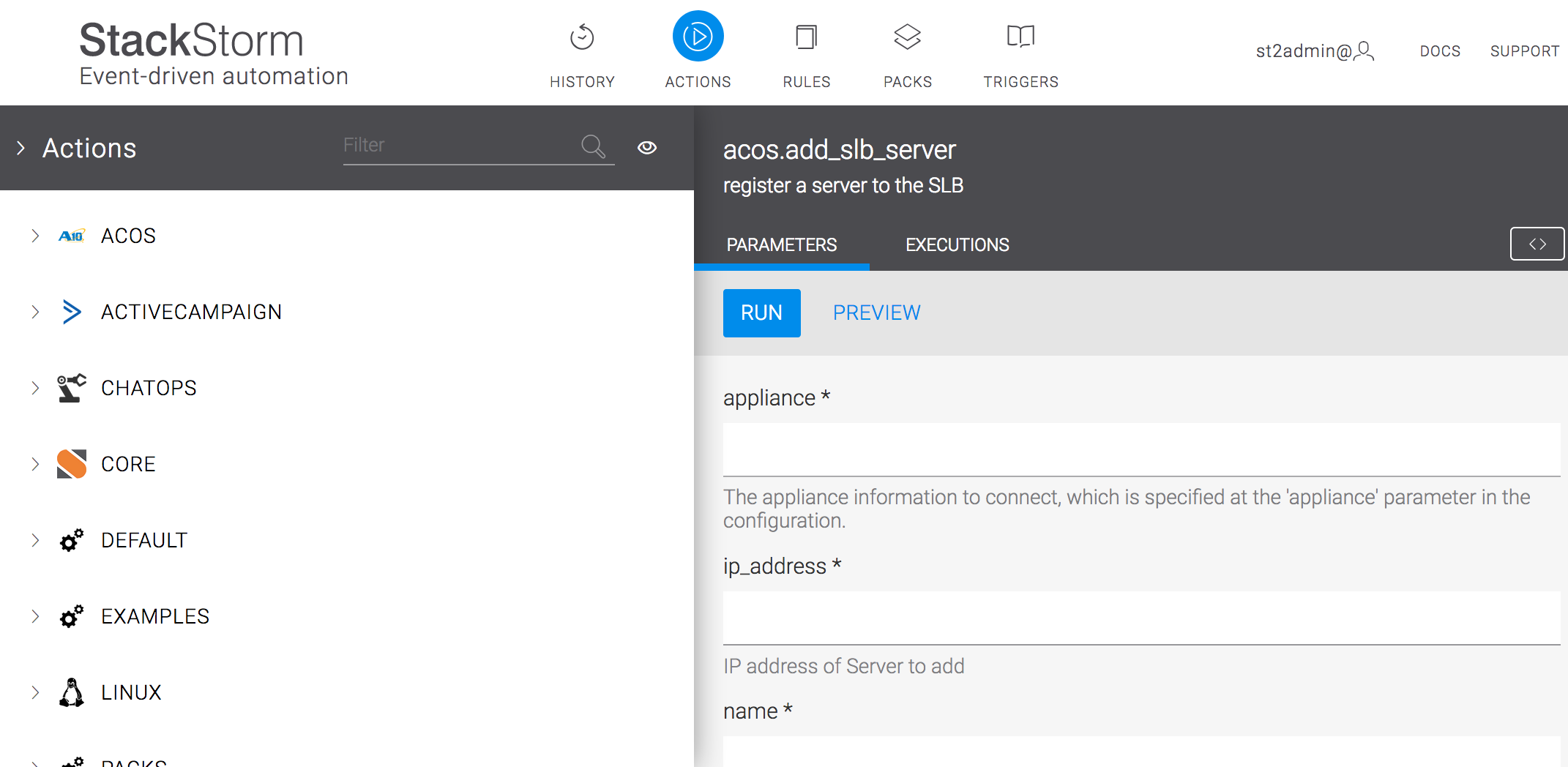
We’re glad to announce that StackStorm Vagrant box and Community OVA are available for general use and included as installation method in StackStorm Docs.

Why another installation method?

Vagrant / OVA is the quickest and easiest way to get complex StackStorm architecture with 9 microservices, Workflow Engine, message queue like RabbitMQ, databases like PostgreSQL and MongoDB, nginx, ChatOps up and running with no hassle.

The virtual machine image comes pre-installed, configured and tested. This helps to avoid time-consuming installation and configuration steps. Perfect as a starting point to meet with StackStorm, get a quick platform overview, test, demo or even using StackStorm in isolated from the internet air-gapped systems.

We now highly recommend using a Vagrant / OVA to get familiar with the StackStorm platform.
It’s a really 2-click experience!

StackStorm Vagrant

This snippet is worth a thousand words:

vagrant init stackstorm/st2
vagrant up
vagrant ssh

Trying StackStorm was never so easy!

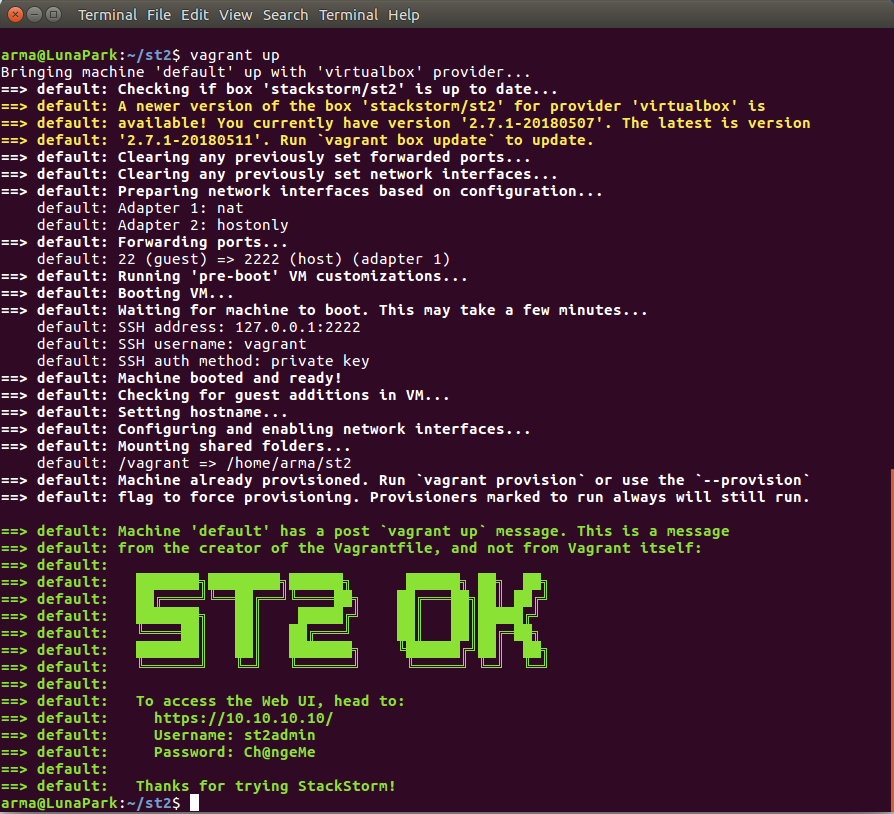
Vagrant UP with StackStorm

Many projects have similar pre-packaged Vagrant box that is used for evaluation and simplifies first experience so you don’t need to wait, install, configure anything and suffer if installation failed somewhere in the middle.

Let’s leave extensive configuration for other production installers, – just give me working CLI st2 action run, now!

OVA & Virtual Appliance

An alternative to Vagrant box is Virtual appliance which is available for download as .OVA image from the StackStorm/packer-st2 Github Releases page. It might be especially helpful for running in isolated from the internet air-gapped environments.

Only Virtualbox is available for Community edition, but StackStorm Enterprise has more, – just Contact us.

Warning! If by any chance you’re using OVA in production environment, don’t forget to change the default StackStorm login credentials and revise SSH authorized keys and password for vagrant linux user.

st2-integration-tests

We’ve put in the image a new goodie, – st2-integration-tests.

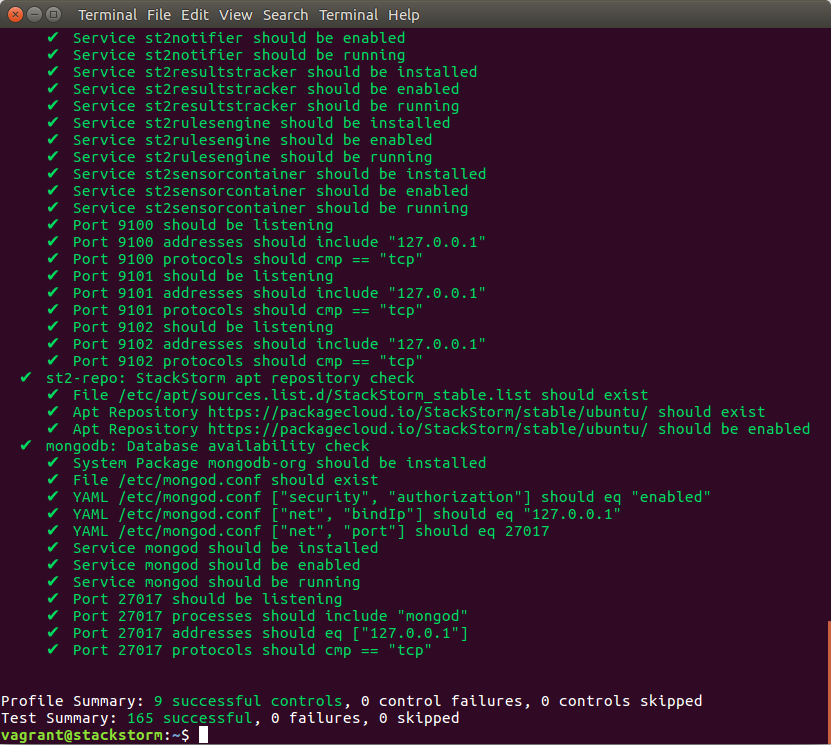
It’s a script that can perform StackStorm infrastructure/integration tests and report back with more detailed info about what and why things don’t work as expected. Tests are run at the infra/linux/configuration level. As an example, you’ll quickly be able to tell that MongoDB didn’t start, RabbitMQ is not listening on its port, or that there’s some misconfigured StackStorm or Linux user settings.

This can save time to avoid extensive troubleshooting steps, while you’re playing with StackStorm:

StackStorm Vagrant integration tests

If something went wrong, – just run st2-integration-tests!
Broke it completely? Just destroy the VM and try a new box again! (vagrant destroy; vagrant up)

Bugs, Issues, Contributions

We are constantly striving to ensure that you have best experience.
However, if you find something that doesn’t work, please let us know and we’ll be glad to take a look.
We also love Pull Requests from the community at StackStorm/packer-st2.

The post Announcing StackStorm Vagrant & OVA appeared first on StackStorm.


Recent Exchange Updates

$
0
0

June 3, 2018
by Lindsay Hill

Here’s a few of the recent updates to StackStorm Exchange. New packs for Check Point, Infoblox, Cisco ACI and vCloud Director, and CircleCI 2.0 migration complete. Here’s the details:

New Packs This Month

  • Check Point: Check Point firewalls have been a long-term staple in many datacenters. Your author once spent much of his life dealing with the “peculiar” challenges of Check Point firewalls. Now you can write StackStorm threat response workflows to block IP addresses using Check Point.
  • Infoblox: Infoblox is a very popular IPAM, DHCP, and DNS system. Thanks to Anthony Shaw and his colleagues at Dimension Data for this great contribution.
  • Cisco ACI: Cisco ACI provides software-defined data center networking. You can now write workflows to do things such as create Application Profiles, Endpoint Groups, VRFs, etc.
  • vCloud Director: VMware’s vCloud Director can be used to provision SDDC services. Thanks to Paul Mulvihill for this pack providing VCD actions.

CircleCI 2.0

All Exchange packs have been switched to use CircleCI 2.0 for CI tests. Well ahead of the August 31 2018 1.0 sunset. Every pack has had its circle.yml file updated and moved to .circleci/config.yml. This change triggered a rebuild on all packs, which in turn identified linting issues in some packs. This is generally due to updated pylint/flake8 versions picking up a few new issues, sometimes its due to pip dependency changes. So if you’re paying attention, you will have seen quite a few minor linting changes to packs. This means a small version bump. We recommend updating your packs.

PS: If you’re ever looking to boost your GitHub contributor score, making a change across all Exchange packs is a great way to do it. Or so I hear 🙂

As always, thanks to all contributors.

The post Recent Exchange Updates appeared first on StackStorm.

How Can You Ensure Millions of Users Never Lose Service

$
0
0


June 25, 2018
by Bettina Baumgart

Many enterprises are delivering services to millions of customers every day, and one of their key challenges is to make sure they are never without service. Working at such a large scale requires organizations to streamline DevOps processes so they can minimize errors, reduce the burden on Site Reliability Engineers (SREs) and get fast visibility into potential issues.

We are happy to welcome Bitovi as a partner. Just recently they helped one of their clients to streamline and solve DevOps automation using Stackstorm.

The requirements for this solution included scalability, reliability, a pluggable architecture, and complex workflow creation. After evaluating several open source platforms as well as internal solutions the client had already built, they chose Stackstorm because it was the one that met all these requirements. In addition, it is event driven with a robust engine for IFTTT (If This Then That) and automatically diagnoses and remediates issues across domains.

In their post, Bitovi gives more detail on what their team did to greatly reduce SRE fatigue, training costs, incident resolution errors, and incident resolution time by using StackStorm to automatically recognize common DevOps issues.

If you want to try Stackstorm, download it from our webpage.

The post How Can You Ensure Millions of Users Never Lose Service appeared first on StackStorm.

StackStorm 2.8: UI Changes, New Workflow Engine, and More

$
0
0

2.8 Release Blog

July 10th, 2018
by Lindsay Hill

It has been 3 months since our last confession release. That’s why there’s a lot happening in this release. We are very excited to present the first public release of our new workflow engine, Orchestra. The Web UI has a new look & apps, and we’ve added Python 3 action support. We’ve also added metrics collection to help understand exactly what your system is doing. Read on for more!

New Workflow Engine: Orchestra

We have been busy this year writing a new Workflow engine: Orchestra. This is a new StackStorm-native workflow engine, written by the StackStorm team. We’ve taken what we’ve learned over the years working on Mistral and ActionChains, and improved upon it. We’ve then tightly integrated it with StackStorm.

Why do this, and what does it mean for you? We’ve done it to provide a better, simpler experience for creating, running and debugging complex workflows. Orchestra runs as a StackStorm sub-component, and uses the same configurations, database and log locations as the rest of the StackStorm services. This makes deployment and troubleshooting simpler.

We can also write a new DSL, addressing gaps, and making it easier to understand. We will be able to address all Action Chain & Mistral use-cases, and more.

OK, enough talk about what & why: What does it look like? Here’s an example workflow definition:

View this code snippet on GitHub.

Pretty easy to follow, right? Written in YAML, and some of the layout & constructs will be recognizable to Mistral users. As with all StackStorm actions, you’ll need to define the metadata. This is very similar to other actions, but with runner_type: orchestra

Check the docs to learn more, and the examples directory to see more example code.

Note: Orchestra is currently in public beta. It is stable, but is not yet feature-complete. We’re going to be adding more features in the next couple of releases. We’re aiming for GA in StackStorm 3.0, later this year. Expect to see a massively improved Workflow Designer that works with Orchestra then too.

Astute readers will be asking themselves: “What does this mean for Mistral and Action Chains?” In the short term, they are not going anywhere. But in the longer term, they will be deprecated. Don’t worry: There will be plenty of notice before this happens, and we’ll have tools to help convert your workflows.

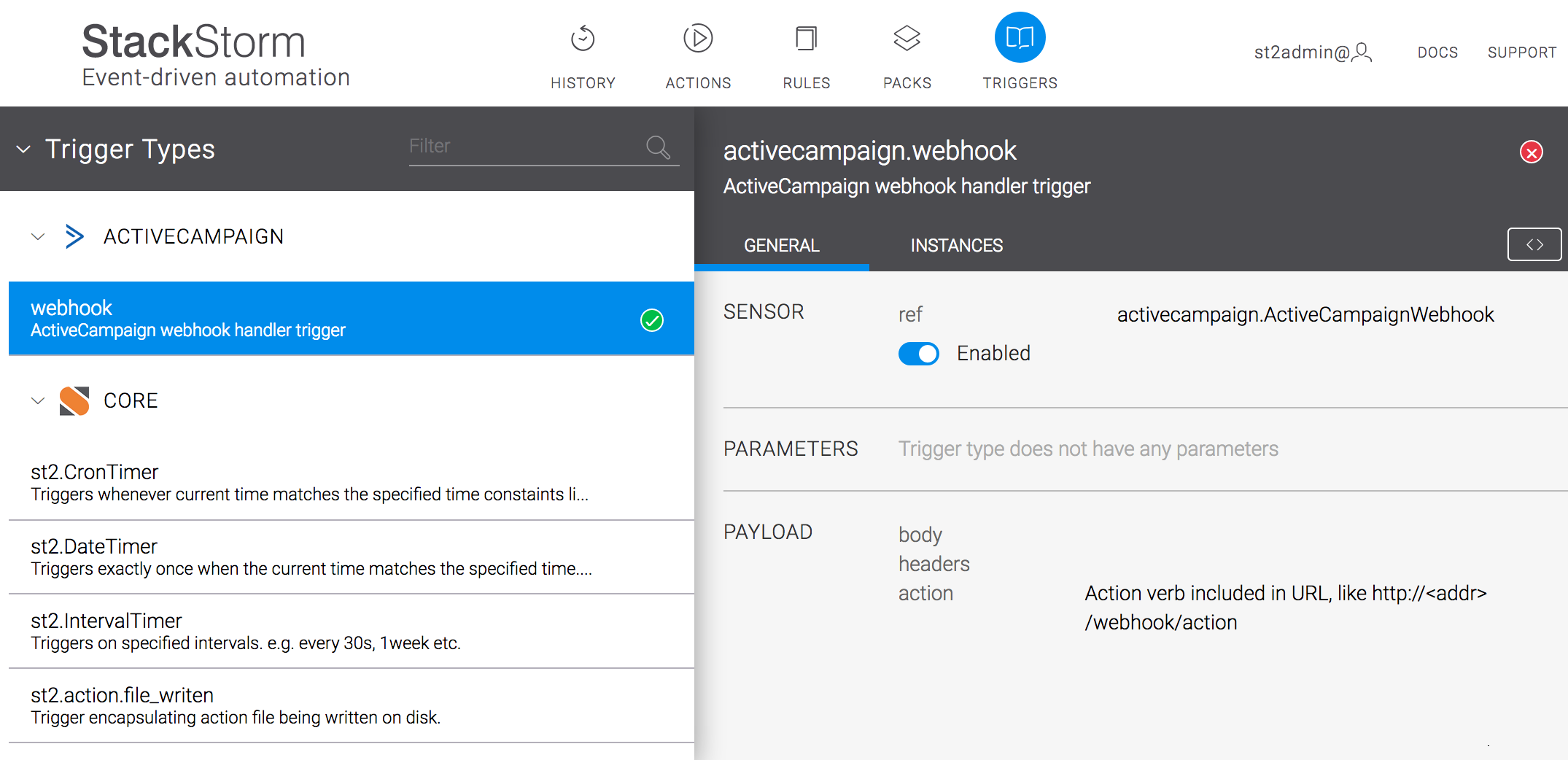
Web UI: New Look, New App: Triggers

In January we migrated our Web UI from Angular to React. We kept the look and feel the same, but promised there was a reason for doing it – for future developments. The first fruits of that are now visible:

Two things you’ll notice when you login: The colors are different, and hey, what’s this “Triggers” icon here?

This page is designed to help answer the age-old question: “Why did my rule not fire like I expected?” In earlier versions, you had to work through the troubleshooting docs to figure out what was going on, tracing trigger-instances, rules logs, etc.

Now you can do this from the Web UI. Let’s take a simple example, the sample_rule_with_webhook rule in the examples pack.

This matches the webhook URL of /webhooks/sample, and the criteria is looking for {“name”: “st2”} in the body.

First I’ll doing a test with curl:

lindsaysmacbook:~ lhill$ curl -X POST -H  'Connection: keep-alive' -H  'Accept-Encoding: gzip, deflate' -H  'Accept: */*' -H  'User-Agent: python-requests/2.14.2' -H  'X-Auth-Token: 8d6adce7b59c4605ac381d937d0b6e47' -k https://localhost/api/v1/webhooks/sample -H "Content-Type: application/json" --data '{"key1": "value1"}'
{
    "key1": "value1"
lindsaysmacbook:~ lhill$

My rule says that it should dump the {{trigger.body}} contents to ~/st2.webhook_sample.out file, but that doesn’t exist. What’s happened?

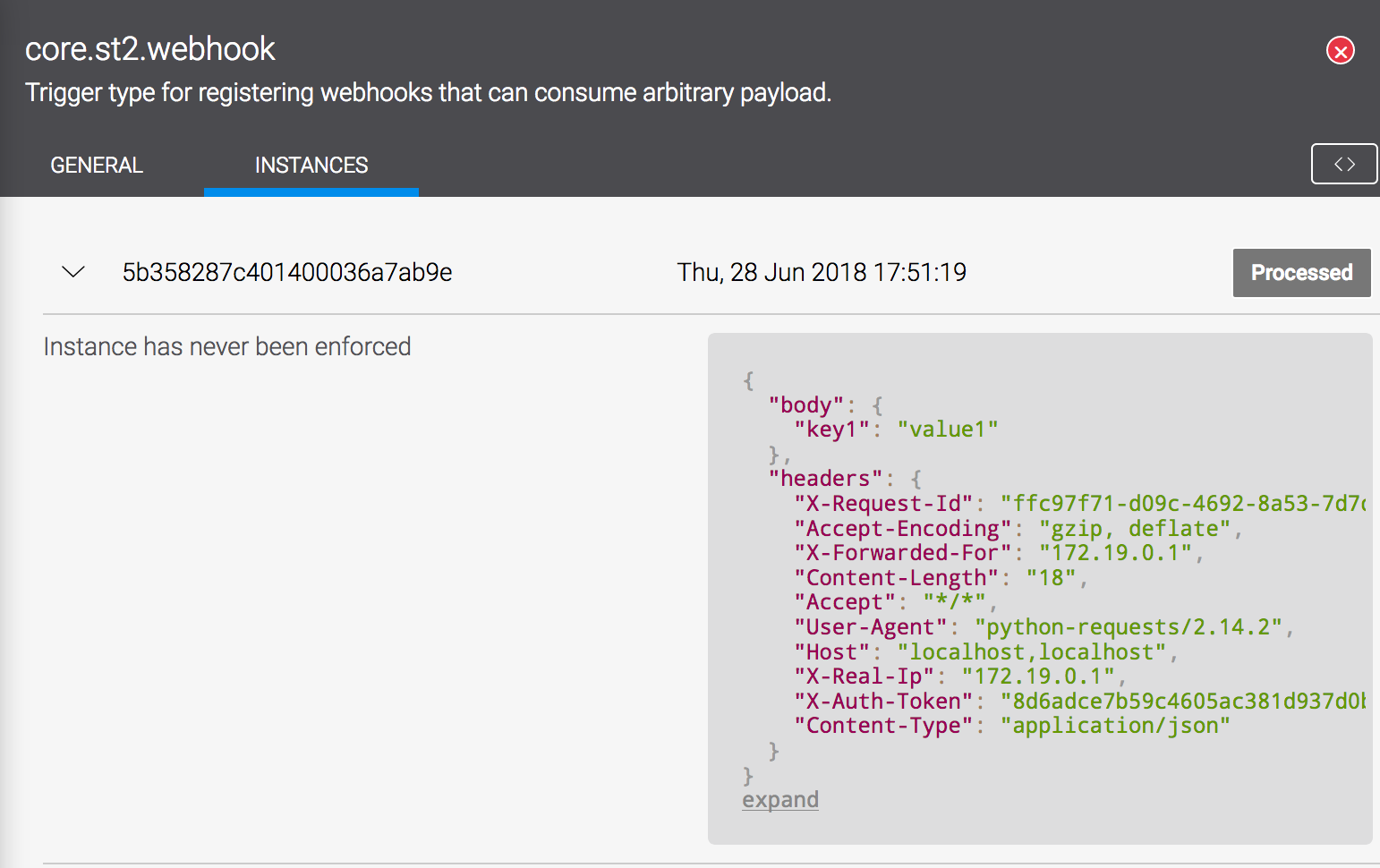
Let’s check the Triggers app, under core.st2.webhook:

We can see “Instance has never been enforced” – that means that we saw something match this trigger, but it didn’t result in any rule enforcement. Clearly we don’t have the right combination of trigger + criteria.

Our rule criteria says this:

    criteria:
        trigger.body.name:
            pattern: "st2"
            type: "equals"

In our body we had { “key1”: “value1”}. Let’s try our curl call again:

lindsaysmacbook:~ lhill$ curl -X POST -H  'Connection: keep-alive' -H  'Accept-Encoding: gzip, deflate' -H  'Accept: */*' -H  'User-Agent: ython-requests/2.14.2' -H  'X-Auth-Token: 8d6adce7b59c4605ac381d937d0b6e47' -k https://localhost/api/v1/webhooks/sample -H "Content-Type: application/json" --data '{"name": "st2"}'
{
    "name": "st2"
}lindsaysmacbook:~ lhill$

This looks promising:

root@1f25dbaeb30b:~# ls -l ~stanley/
total 4
-rw-r--r-- 1 stanley stanley 18 Jun 29 01:03 st2.webhook_sample.out
root@1f25dbaeb30b:~# cat ~stanley/st2.webhook_sample.out
{u'name': u'st2'}
root@1f25dbaeb30b:~#

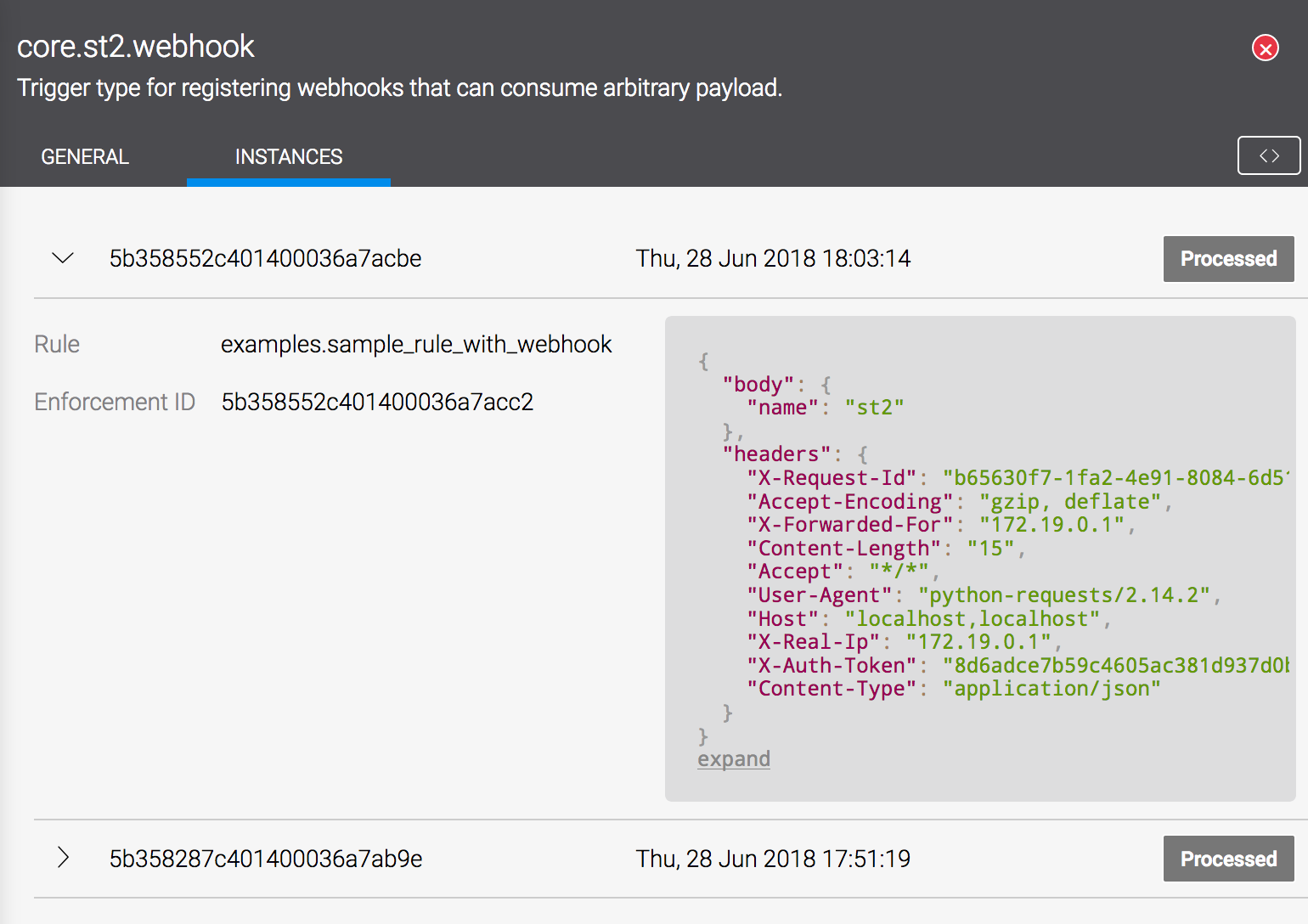
And now look at our Web UI:

We can see the rule that matched, and the Enforcement ID.

There are many other smaller changes to all aspects of the Web UI too. Layouts have been adjusted for better usability, widths changed to display more useful content, etc. Expect to see more tweaks here, and more new apps.

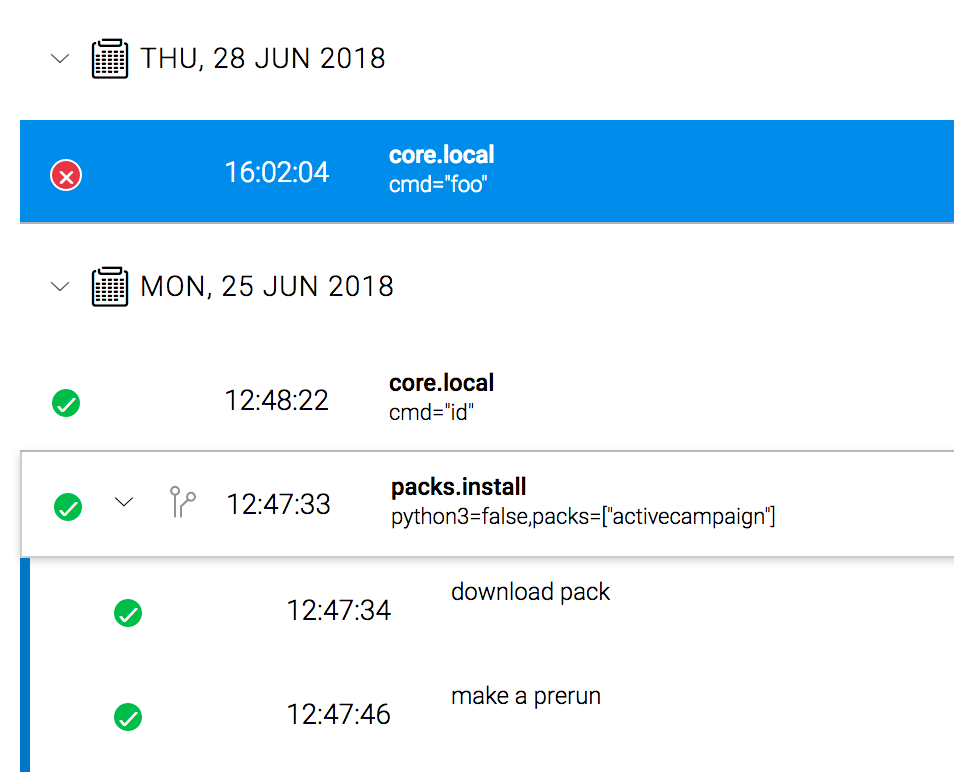
Finally, if you have impaired color vision, you’ll appreciate this change: better visual indications of success or failure:

Python 3 Actions

Want to use Python 3 to run StackStorm actions? Now you can! Use the --python3 flag when running st2 pack install. That pack will then use python3 when creating the virtual environment.

Note: This is still an experimental, opt-in feature. It does not represent complete StackStorm support for Python 3.

We are working on full Python 3 support for the whole platform. We’ve been putting in a lot of work on the backend, updating our code and tests to work with Python 3. Fingers crossed, we’ll have complete GA-ready Python 3 support for the whole platform early next year.

Miscellaneous

  • Metrics: Added metrics for collecting performance and health information about the various ST2 services and functions. Docs and blog post coming soon.
  • CLI: All CLI commands now use /etc/st2/st2.conf by default.
  • Jinja: New Jinja filters basename and dirname

All the rest of the gory details are in the changelog.

Install Time

Packages are available in our apt and yum repos. Follow the standard instructions to install this version, or upgrade following the General Upgrade Procedure.

You know the drill by now: backup first.

And as always, thanks to everyone who contributed in some way, with code, bugs, or even just fixing typos in our docs.


The post StackStorm 2.8: UI Changes, New Workflow Engine, and More appeared first on StackStorm.

ST2 2.8.1 plus Exchange Pack Updates

$
0
0

July 17, 2018
by Lindsay Hill

Using packs from the StackStorm Exchange? Here’s a roundup of recent updates, including new packs for Algosec, Cisco ACI and AWS Boto3, along with fixes and updates for Slack, MySQL, Zabbix, RabbitMQ and more. We’ve also released StackStorm 2.8.1, with a few small fixes since 2.8. Details below:

StackStorm 2.8.1

We’ve fixed a few small issue in StackStorm since last week’s 2.8 release.

  • The password: parameter for the http_runner is now marked secret: true, so it will properly mask passwords in the logs.
  • We’ve fixed an issue with secret: true not being properly applied to entire object/array parameters.
  • Installing st2client using pip? It will now properly add all requirements, and this will stay in synch.
  • Improved the st2 for better auto-detection of terminal width, and a better default if auto-detection fails.

New Packs

Three new packs this time around:

Updates and Fixes

Lots of smaller updates – new actions, bugfixes, etc.

  • Consul: Fixes for the “agent_service_register” action.
  • Terraform: The “apply” action now automatically approves changes.
  • MySQL: New UPDATE action, and Unicode fixes.
  • Slack: The “files.upload” action now uses POST.
  • Cloudflare: We’ve finally switched to the python-cloudflare library, and added actions.
  • Twitter: Want to upload a picture with that automated Tweet? Now you can.
  • Zabbix: New actions for handling hosts with multiple IDs.
  • EXOS: You can now send multiple commands at once.
  • RabbitMQ: We’ve updated the underlying pika library.
  • Email: Small fixes for better Unicode handling.

If you’re using any of the above packs, we recommend updating.

Thanks to all those who contributed.

The post ST2 2.8.1 plus Exchange Pack Updates appeared first on StackStorm.

StackStorm at ServerlessConf, SFO, July 31 – Aug 1, 2018

$
0
0

July 27, 2018
by Lakshmi Kannan

For all the people in a hurry, StackStorm will be at ServerlessConf in San Francisco July 31-Aug 1, 2018. Winson Chan and Dmitri Zimine will be speakers from StackStorm talking about our new workflow engine and serverless functions. We also have a booth with cool demos showcasing our new multi-cloud serverless orchestrator – Orquesta and our new workflow engine. Of course, we will have some cool swags! Stop by and don’t be a stranger! For all the people who are enjoying your Friday afternoon like I am, read the longer version.

It’s time to tell you a story!

When we started StackStorm, we wanted to build a IFTT (If-this-then-that) for devops people. We embraced the openstack workflow engine Mistral and even contributed heavily to its development and operational simplicity. Like with any project, we learnt a lot from customer use of mistral workflows via our Slack community. We spent a lot of time looking into usability (syntax/DSL), data management, state transitions and operational easiness. In fact, we learnt enough and were preposterous about starting our own workflow engine. Luckily, we had some saner people in the team to ask us tough questions and keep us from throwing something out there for the sake of yet-another-open-source-project-with-a-cool-sounding-name. Finally, with release of StackStorm v2.8, we open sourced our new workflow engine that captures our learnings in the workflow space.

In a parallel world, serverless happened. There was AWS lambda, then Microsoft came with guns blazing and Google did not want to feel left out. Our inital response to serverless buzz was in 2014. We were learning a few things ourselves from StackStorm exchange on how people wanted to write functions and run them much ahead of these giant cloud providers. We translated our understanding to first blog posts and then, we took the show via code approach by building a serverless plugin to let you run StackStorm actions as serverless functions. Watch Dmitri talk about it.

And the story forms substance!

LegoBlocks

So on one hand, we have this new workflow engine with a DSL that can orchestrate tasks – on the another hand, we have an exchange full of actions that you can readily run as serverless functions. And the cloud providers are letting people run functions magically in their cloud with almost zero touch. We are in a sweet spot! We can connect all these functions and orchestrate them with our new workflow engine and serverless plugin. We call this Orquesta (Spanish for orchestra). You can pass state from these tasks, conditionally run new functions from output of another action etc. The possibilities are open to your to imagination and your programming skills ;).

Good story, eh? Well, you can see a trailer at the ServerlessConf. Ping us on Slack or email us at moc.mrotskcatsnull@ofni to get a 20% off on serverless conference ticket. Bring your curiosity and let us show you what we’ve built! May the demo gods be with us! Worst case, we can all drink Gibraltar and wonder why cortado was thus named by San Franciscans!

Follow @Stack_Storm for live updates from the booth! We may or may not post macarena dance moves!

(Note: Don’t call people from San Francisco San Franciscans. They don’t like it. I decided to use it anyways because I don’t live there anymore.)

The post StackStorm at ServerlessConf, SFO, July 31 – Aug 1, 2018 appeared first on StackStorm.

Viewing all 302 articles
Browse latest View live


Latest Images